
Redesign of an Order Confirmation Page

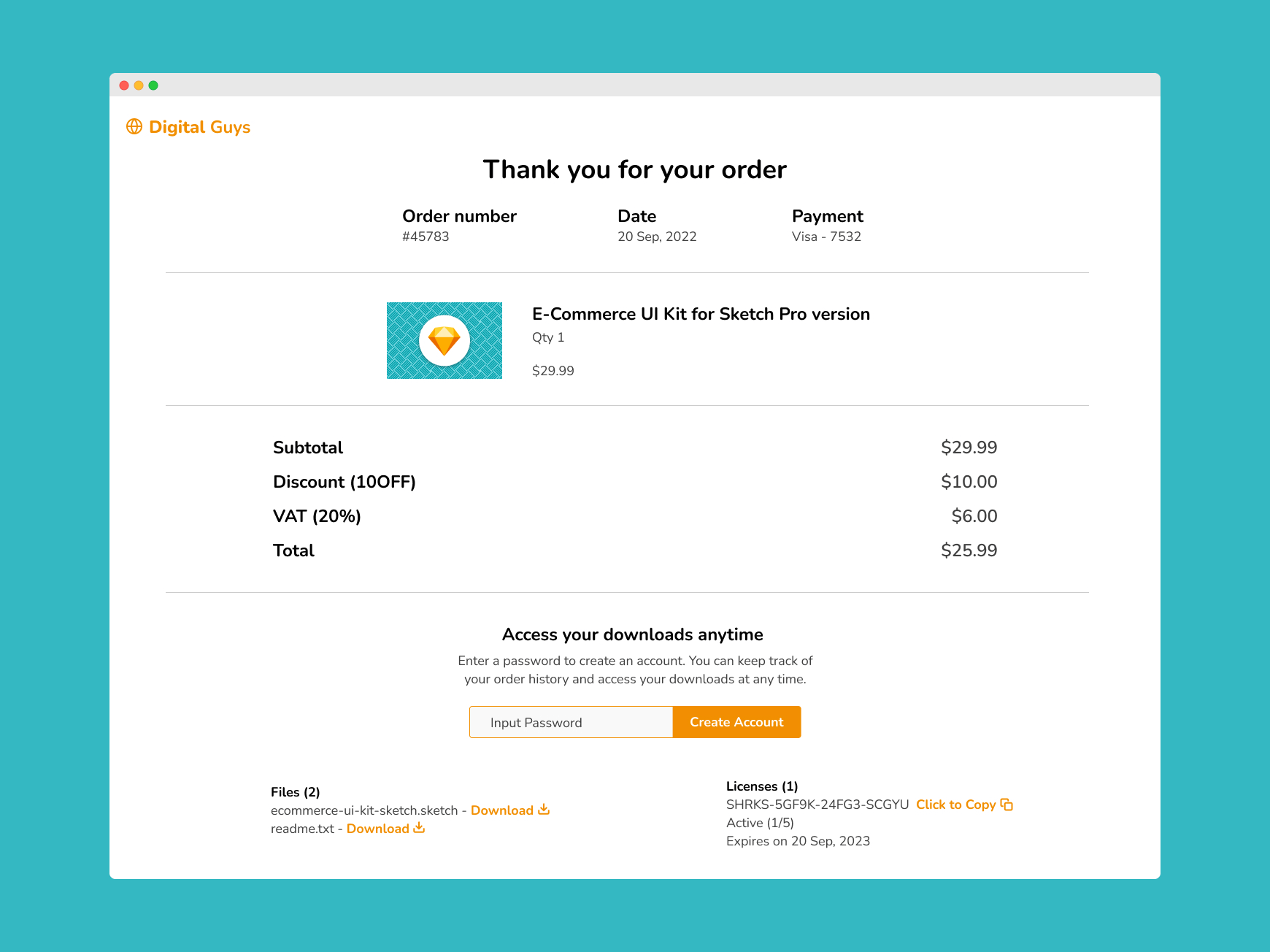
The following is a redesign of a confirmation page for the purchase of a digital product. I will go through the thinking behind each design decision I made, and how they make the page more useful for people.
Click either image to view in full screen!
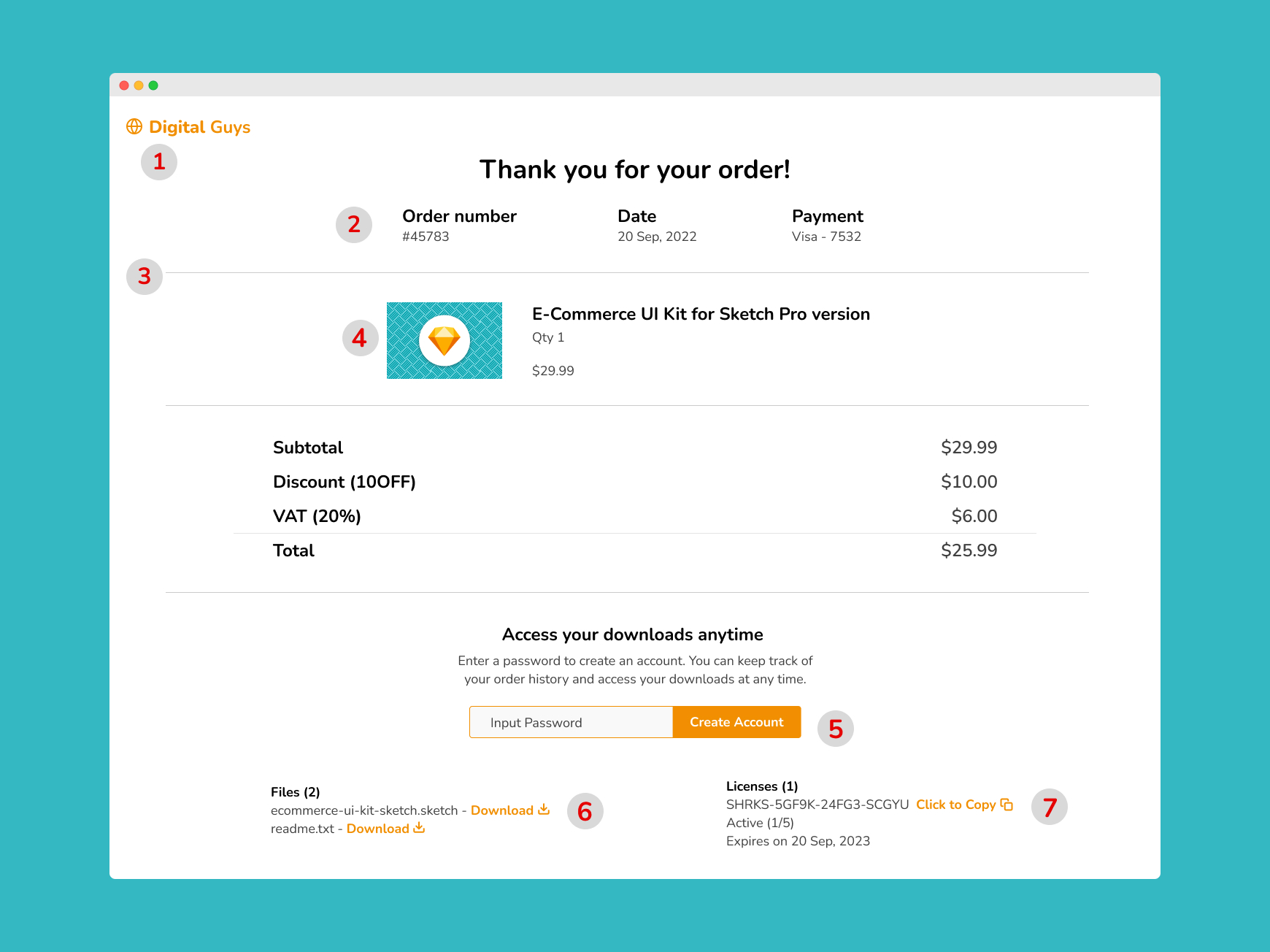
1. Logo
I put the logo where we expect it - the top left corner of the screen. This is important because we want people to instantly be able to recognise the brand they've made a purchase from.
2. Order Details
This is the information people will need to be able to access quickly if they have any problems with their order, so I made sure this was easily accessible at a glance.
Grouping the information in columns of 3 makes it easier to scan.
3. Dividing Line
This is used to seperate different categories of information in an unobtrusive way, maintaining the white space that makes the design feel balanced.
4. Product information
I included an image of the product so the purchase they made is easily recognisable. I included the quantity of the item purchased also in case duplicate purchases were made in error.
5. Purchase Access
Instead of making people sign up for an account during the purchase flow, I kept it optional on the previous screens and included a subtle reminder here.
I also included justification on why it's a good idea to set up an account - to make it easy for them to access their downloads, anytime.
The colour if the Create Account button is orange, the accent colour of the brand.
6. Downloads
Beside the title of the text for each download file I've included a link in the accent colour of the brand to download the materials. This stands out clearly against the white background and with the icon beside the text it's easy to see the purpose this link has.
7. Software License
Software licenses are generally a long string of characters. To make it easier for people to save this information I included a Click to Copy link beside the text. The icon set beside the text also demonstrates the purpose of the link clearly.
The journey of a thousand miles begins with a single click.
Start your quest off right by getting clear on the path ahead.